Tuesday, August 26, 2014

Raspberry Pi, Parse.com, and Temperature Logging


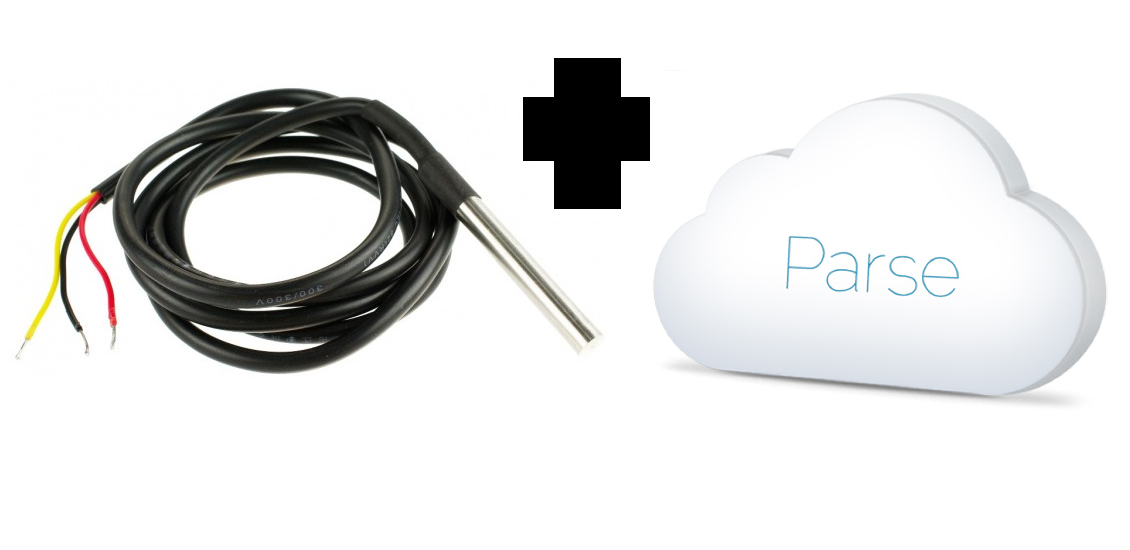
As part of a future project I may be working on(details coming soon). I wanted to get some logging done with some temperature sensors to the online cloud database called Parse.com
If you want your data stored on the cloud to be able to access anywhere this is what you will need to do:
  • install the DS18b20 temperature probes

Parse App Setup

 copy the application id and the rest api key to your python script

Get the ParsePy library:

install on your pi using the command

git clone https://github.com/dgrtwo/ParsePy
cd ParsePy
sudo python setup.py install

Getting my Logging Library:

download here:
https://github.com/SimplyAutomationized/raspberrypi/raw/master/ParseTempLogging/ParseTemperature.py
usage:
from ParseTemperature import *
logger = TempLogger(appkey='yourappkey',apikey='yourapikey')
logger.start()#will create the class in your app and start appending temperature data to it whenever the temperature changes. 

Now the two sensors started populating my online db. 

for reference here's the logging libarary:

from parse_rest.connection import register
from parse_rest.datatypes import Object

from threading import Thread
from time import sleep
import os
os.system('modprobe w1-gpio')
os.system('modprobe w1-therm')
class Temperature(Object):
 pass


class TempLogger(Thread):
 """
 A class for getting the current temp of a DS18B20
 """
 def __init__(self, fileName='',debug=False,appkey='',apikey=''):
  Thread.__init__(self)
  register(appkey,apikey)#put your api key and app id here
  self.debug = debug
  self.probes = {}
  self.tempDir = '/sys/bus/w1/devices/'
  self.currentTemp = -999
  self.correctionFactor = 1;
  self.enabled = True
  self.repopulateprobes()
 def repopulateprobes(self):
  list = os.listdir(self.tempDir)#here we create a dictionary with the probe id's
  for item in list:
   if(item[:2]=="28"):
   if(self.debug):
    print item
   if(self.probes.has_key(item)==False):
    self.probes[item]=0

 def getTempForFile(self,file):
  try:
   f = open(self.tempDir + file + "/w1_slave", 'r')
  except IOError as e:
   print "Error: File " + self.tempDir + file + "/w1_slave" + " doesn't exist"
   return;
  lines=f.readlines()
  crcLine=lines[0]
  tempLine=lines[1]
  result_list = tempLine.split("=")
  temp = float(result_list[-1])/1000 # temp in Celcius
  temp = temp + self.correctionFactor # correction factor
  #if you want to convert to Celcius, comment this line
  temp = (9.0/5.0)*temp + 32
  if crcLine.find("NO") > -1:
   temp = -999
  if(self.debug):
   print "Current: " + str(temp) + " " + str(file)
  return float(int(temp*100))/100    
 def run(self):
  while self.enabled:
   for item in self.probes.items(): #we iterate through our probes we scanned for earlier and save temperatures to the dictionary
    temp = self.getTempForFile(item[0])
    if(item[1]!=temp):#if there is a change in the temperature we send it to parse
     parseDBObject=Temperature()
     parseDBObject.Probe=item[0]
     parseDBObject.Temperature=temp
     try:
      parseDBObject.save()
     except:
      pass
     self.probes[item[0]]=temp
 def stop(self):
  self.enabled=False
    #returns the current temp for the probe
 def getCurrentTemp(self,file):
  return self.probes[file]

Sunday, August 10, 2014

A Simple Interface for the Internet of Things with my Raspberry Pi

A Simple Interface for the Internet of Things

Awhile back I bought the Adafruit starter kit for the LPC810.
LPC811  on a TSSOP-16 breakout board

With much trial and error I was able to get a simple serial communication with it through a ttl usb cable.  I then wanted to control the I/O remotely. This device can be polled for status and controlled through tcp messages from your Android/iOS device and Raspberry Pi

My Remote Control portable plug
Parts:

  • 1 - LPC810
  • 1 - HLK-RM04
  • 1 - ULN2803APG
  • 3 - 1k ohm Resistors
  • 1 - 120v to 5v 500mA converter module (ebay)
  • 1 - 2Ch relay module
  • 1 - prototyping board

and connected it all up:


simple code for controlling my plugs in python:

import socket
class PlugPoller(threading.Thread):
 def __init__(self,ip,port):
  threading.Thread.__init__(self)
  self.ip=ip
  self.port=port
  self.connect(ip,port)
  self.status='0000'
  self.command='!getstat\r'
 def connect(self,ip,port):
  try:
   self.s=socket.socket(socket.AF_INET,socket.SOCK_STREAM)
   self.s.settimeout(1)
   self.s.connect((ip,port))
  except:
   pass
 def run(self):
  while True:
   try:
    sleep(.1)
    self.s.send(self.command)
    self.status=str(self.s.recv(4))
    #print "data:{"+self.command,self.status+"}"
   except:
    print 'error'
    sleep(5.0)
    self.connect(self.ip,self.port)
    pass
   if(self.command!='!getstat\r'):
    #print self.command
    self.command='!getstat\r'
 def getstatus(self):
  return self.status
 def sendcmd(self,c):
  try:
   self.s.send(c)
  except:
   pass
  return self.s.recv(4)
def main():
 plug=PlugPoller("192.168.16.254",8080)
 plug.start()#start the async status poller
 plug.sendcmd('!turnon1') #turns on relay 1
 plug.sendcmd('!trnoff1') #turns off relay 1
 plug.getstatus() #returns a status of 0001, first two binary numbers are the button inputs the last two are the relays
 plug.sendcmd('!talloff')#turns off all relays
Whenever these inputs are pressed it will toggle the relays locally. The pushbuttons  would be connected to the right side of the Wifi Module.   Giving you remote and local control of your device without having to put an Arduino or Raspberry Pi in that enclosure.
For me I like knowing instantly whether my light is on while looking at it remotely. The PlugPoller python script is polling statuses every tenth of a second.  The MCU and the module talk at 115k baud so you can get your results pretty quickly.

Since that looked pretty ugly (prototype), i'm currently working with the LPC811 which has more I/O.  14 configurable pins, 2 of which I will use for UART communication (12 for I/O pins) which will let you sense more inputs and turn on more outputs.  These chips can have some of these pins configured for i2c and spi that can connect you to 100s of sensors that you can have through wifi.


Please Comment if you wish to see this as a kit you could buy
Or if you have questions

Monday, July 7, 2014

Raspberry Pi SCADA Part 2, Modbus TCP PWM Controller

Raspberr Pi SCADA Part 2, Modbus PWM Controller

Since finding a cheap alternative to PLC whilst using an industrial protocol is a popular idea the Raspberry Pi has caught many eyes on doing this.  I posted once on reading a temperature sensor and serving it up on the Pi using ModbusTCP. This time I expound on it and show you how to control something. In this case it will be a PC 12v fan.

Parts:

  • 1 x Raspberry pi
  • 1 x Darlington Transistor
  • 1 x PC Fan (with about  500ma load)
  • 1 x 12v DC Power Supply


Setup:

  1. Installing pymodbus and dependencies:
    • sudo apt-get install python-pymodbus python-twisted-conch
  2. Wire up your Fan, LED, or motor


  1. View my code from Github.
Video of what I did:


Source Code:
from pymodbus.server.async import StartTcpServer
from pymodbus.device import ModbusDeviceIdentification
from pymodbus.datastore import ModbusSequentialDataBlock, ModbusSlaveContext, ModbusServerContext
from pymodbus.transaction import ModbusRtuFramer, ModbusAsciiFramer
from twisted.internet.task import LoopingCall
from threading import Thread
import pid
import threading
from time import sleep
import RPi.GPIO as GPIO
import os
os.system('modprobe w1-gpio')
os.system('modprobe w1-therm')
#set up Raspberry GPIO 
GPIO.setmode(GPIO.BCM)
GPIO.setwarnings(False)
GPIO.setup(25,GPIO.OUT)
pwm = GPIO.PWM(25,60)
pwmDutyCycle=100
pwm.start(pwmDutyCycle)
temperaturePoll = None

class Temp(Thread):
    """
     A class for getting the current temp of a DS18B20
    """
    def __init__(self, fileName=''):
        Thread.__init__(self)
        super(Temp, self).__init__()
        self._stop = threading.Event()
        self.tempDir = '/sys/bus/w1/devices/'
        list = os.listdir(self.tempDir)
        if(list[0][:2]=="28"):
         fileName=list[0]
        self.fileName = fileName
        self.currentTemp = -999
        self.correctionFactor = 1;
        self.enabled = True
        self.Run=True
    def run(self):
        while self.isEnabled():
   try:
    f = open(self.tempDir + self.fileName + "/w1_slave", 'r')
   except IOError as e:
    print "Error: File " + self.tempDir + self.fileName + "/w1_slave" + " does not exits"
    return;
   lines=f.readlines()
   crcLine=lines[0]
   tempLine=lines[1]
   result_list = tempLine.split("=")
   temp = float(result_list[-1])/1000 # temp in Celcius
   temp = temp + self.correctionFactor # correction factor
   #if you want to convert to Celcius, comment this line
   temp = (9.0/5.0)*temp + 32
   if crcLine.find("NO") > -1:
    temp = -999
   self.currentTemp = temp
   #print "Current: " + str(self.currentTemp) + " " + str(self.fileName)
   sleep(.5)
    #returns the current temp for the probe
    def getCurrentTemp(self):
        return self.currentTemp
    #setter to enable this probe
    def setEnabled(self, enabled):
        self.enabled = enabled
    #getter
    def isEnabled(self):
        return self.enabled


def updating_writer(a):
 context  = a[0]
 register = 3
 slave_id = 0x00
 address  = 0x00
 global pwmDutyCycle,temp
 #uncomment to debug temperature
 print temp.getCurrentTemp()
 values = [int(pwmDutyCycle),temp.getCurrentTemp()*100]
 context[slave_id].setValues(register,address,values)
def read_context(a):
 context  = a[0]
 register = 3
 slave_id = 0x00
 address  = 0x00
 value = context[slave_id].getValues(register,address)[0]
 global pwmDutyCycle
 if(value!=pwmDutyCycle):
  print value
  pwmDutyCycle=value
  pwm.ChangeDutyCycle(pwmDutyCycle)
def main():

 store = ModbusSlaveContext(
  di = ModbusSequentialDataBlock(0, [0]*100),
  co = ModbusSequentialDataBlock(0, [0]*100),
  hr = ModbusSequentialDataBlock(0, [0]*100),
  ir = ModbusSequentialDataBlock(0, [0]*100))
 context = ModbusServerContext(slaves=store, single=True)
 identity = ModbusDeviceIdentification()
 identity.VendorName  = 'pymodbus'
 identity.ProductCode = 'PM'
 identity.VendorUrl   = 'http://github.com/simplyautomationized'
 identity.ProductName = 'pymodbus Server'
 identity.ModelName   = 'pymodbus Server'
 identity.MajorMinorRevision = '1.0'
 time = 5 # 5 seconds delaytime = 5 # 5 seconds delay
 writer = LoopingCall(read_context,a=(context,))
 loop = LoopingCall(updating_writer, a=(context,))
 loop.start(.5) # initially delay by time
 writer.start(.1)
 StartTcpServer(context, identity=identity)#, address=("localhost", 502))
 #cleanup async tasks
 temp.setEnabled(False)
 loop.stop()
 writer.stop()
 GPIO.cleanup()
if __name__ == "__main__":
 temp = Temp()
 temp.start()
 main()